
01
A till that keeps up with the queue
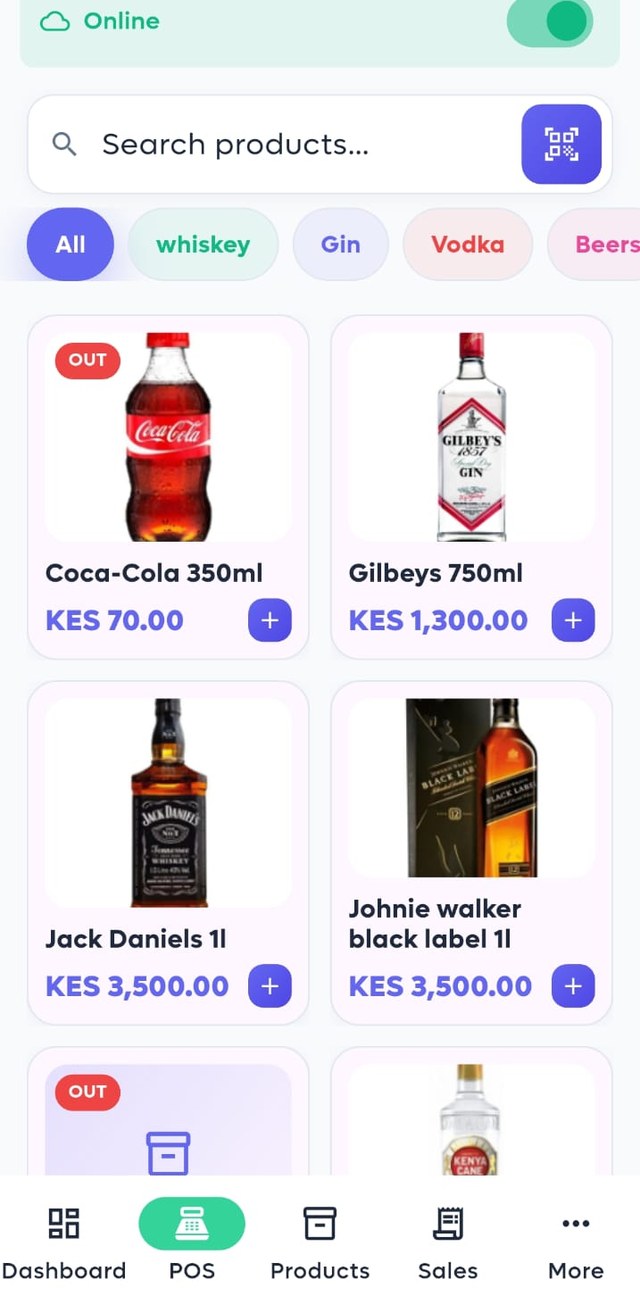
Touch or scan, add to cart, take cash, card, M‑Pesa or account. Discounts, split payments and held carts, with a receipt in seconds.
Point of sale · Kenya
Sell, track stock, take M‑Pesa, print receipts and see your numbers, from a phone, a POS terminal or a Windows till. Online or offline. Every branch in one place.
Everything you need to run the shop
Mopos replaces the notebook, the calculator and three other apps. Here is what it does, end to end.
Touch or scan, add to cart, take cash, card, M‑Pesa or account. Discounts, split payments and held carts, with a receipt in seconds.
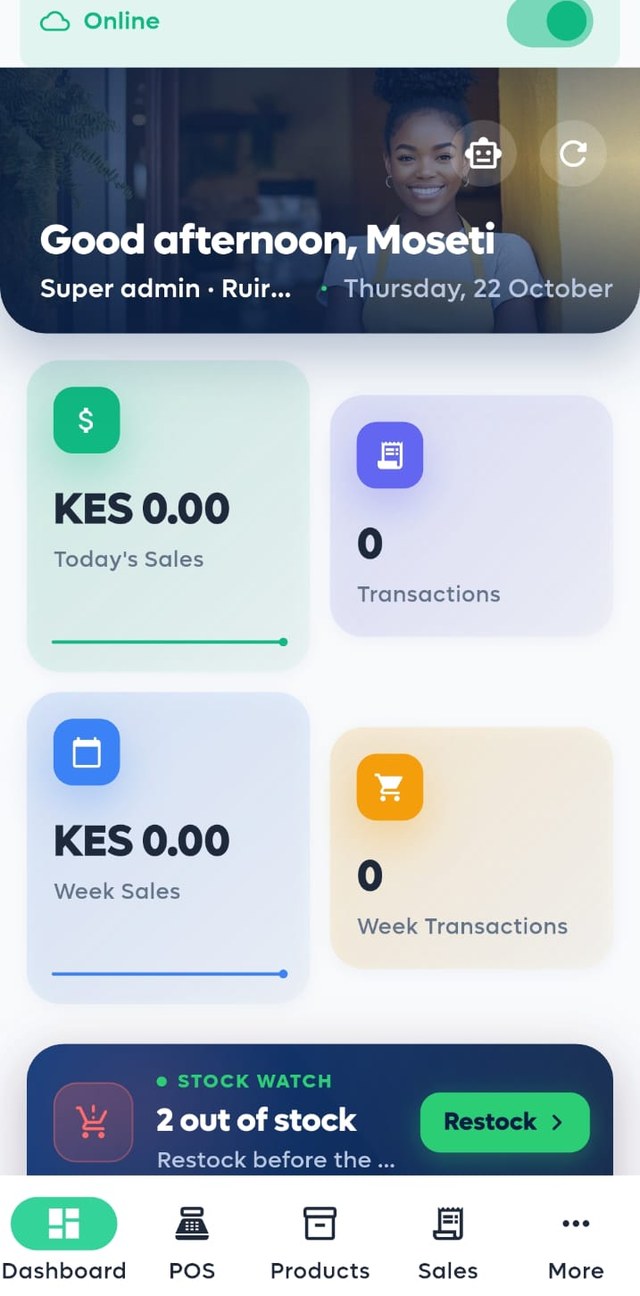
Every sale, purchase, return and transfer moves stock. Low and out‑of‑stock items surface on the dashboard with a one‑tap restock list.
Send the prompt from checkout and the sale marks itself paid when the money lands. No reading codes off a phone.
Each outlet keeps its own stock, staff and takings. You see them side by side, move stock between them, and subscribe branch by branch.
Before a till goes offline it refreshes prices and stock. Every sale made offline uploads itself the moment you are back.
All included, on every plan.
Back office
The dashboard greets you with today’s takings, what is running low and what sold best. Reports go deeper when you need them, and the same numbers show on your phone and your laptop.
How it works
Download the Android app or the Windows installer. It runs on phones, POS terminals and ordinary PCs.
Name your shop, add your first branch and a few products. Our team approves new businesses the same day.
Pair a printer if you have one, switch on M‑Pesa, and ring up your first sale. The 30‑day trial starts now.
Pricing
Every branch gets a 30‑day free trial with everything switched on. After that you subscribe branch by branch, monthly or yearly, and pay with M‑Pesa inside the app. No contracts, no card.
Download
Version 1.0.0. Install on as many devices as you like; your subscription is per branch, not per device.

Any Android 8 or newer device. One file for all phones.
Download for Android POS terminalsSmaller build for Android POS machines with built‑in printers (32‑bit, such as Feitian and NEWPOS).
Download for terminals DesktopInstaller for Windows 10 and 11. Works with USB and network receipt printers and barcode scanners.
Download for WindowsInstalling an APK outside the Play Store? Open the file, allow installs from your browser when Android asks, then tap Install. Our team can also set up your terminal remotely.
Questions
Yes. Switch the till to Offline mode and keep selling. Before it goes offline Mopos pulls the latest prices and stock, and when you reconnect every sale uploads automatically. Nothing is lost.
On Android, any Bluetooth thermal receipt printer, including the printer built into POS terminals. On Windows, any USB or network printer installed in Windows.
Enter your paybill or till details once in Settings. At checkout the cashier chooses M‑Pesa, the customer’s phone receives a prompt, and the sale marks itself paid when the money lands.
Yes. Each cashier gets a PIN and switches in a second. Every sale, return and expense records who did it.
Each branch chooses a monthly or yearly plan and pays with M‑Pesa from inside the app. Your data stays exactly where it is.
Your records live on a secure cloud database with a copy on each till. Only your staff can see your business, and you can export everything to Excel or PDF at any time.